When a Wi-Fi signal doesn’t reach every room, many people aren’t sure which device to buy. These three devices often look similar, but they serve different purposes.
Router
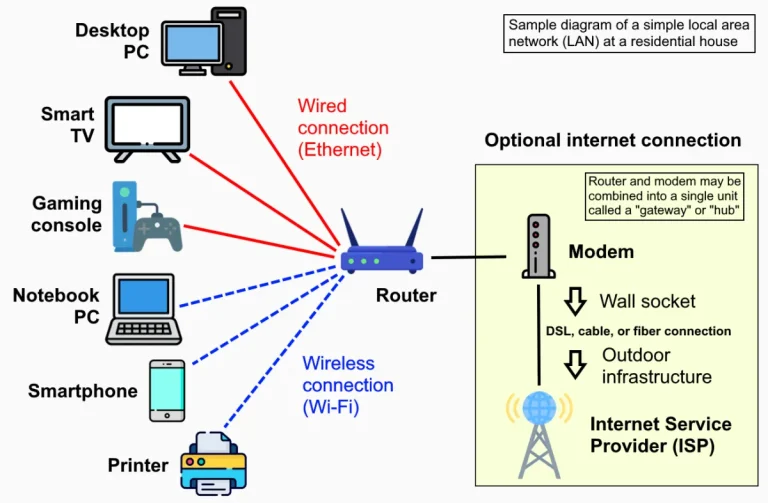
A router is the network hub. It assigns IP addresses to devices, manages data traffic, and usually acts as a Wi-Fi access point. Modems from internet service providers often double as routers.
Best for: a home or small office network hub, or replacing an unstable ISP-provided router.
Access Point
An access point transmits Wi-Fi from a wired LAN connection. Because it’s connected by cable to the router, it maintains high speeds even in distant locations.
Best for: multi-story homes, offices, schools, cafes, and neighborhood (RT/RW) networks. This is the most stable way to extend your Wi-Fi.
Repeater
A repeater captures an existing Wi-Fi signal and rebroadcasts it. No cables are needed, but speeds are generally reduced because the repeater receives and transmits on the same channel.
Best for: extending the signal to one or two rooms without running cables.
Comparison Table
| Device | Requires a cable to the router | Speed at distant locations | Ease of installation |
|---|---|---|---|
| Router | Yes (to the modem) | Not applicable | Easy |
| Access point | Yes | High | Medium |
| Repeater | No | Decreased | Very easy |
Don’t forget cable quality
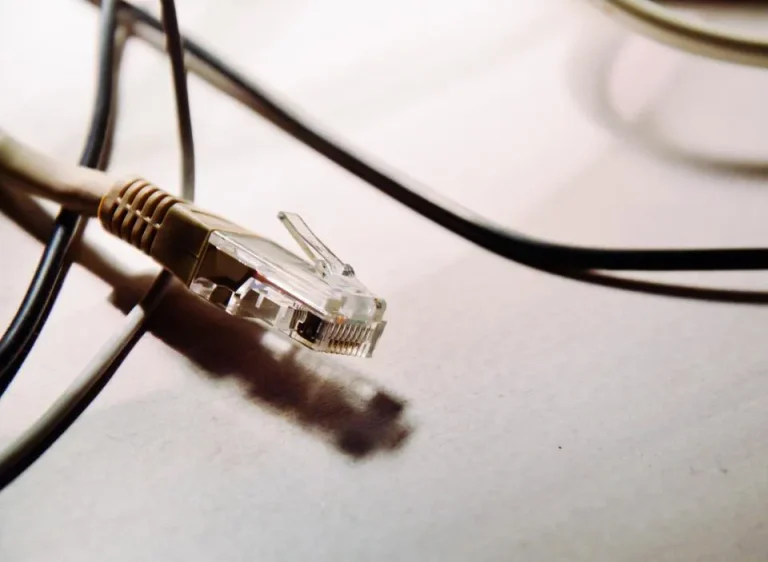
For access points, use a good LAN cable—at least Cat5e—and for longer distances or gigabit speeds, Cat6 is a safe choice. Poor-quality cables are often the cause of intermittent connections.

The Digitize Store team: technicians and digital product makers helping you choose and use technology well.