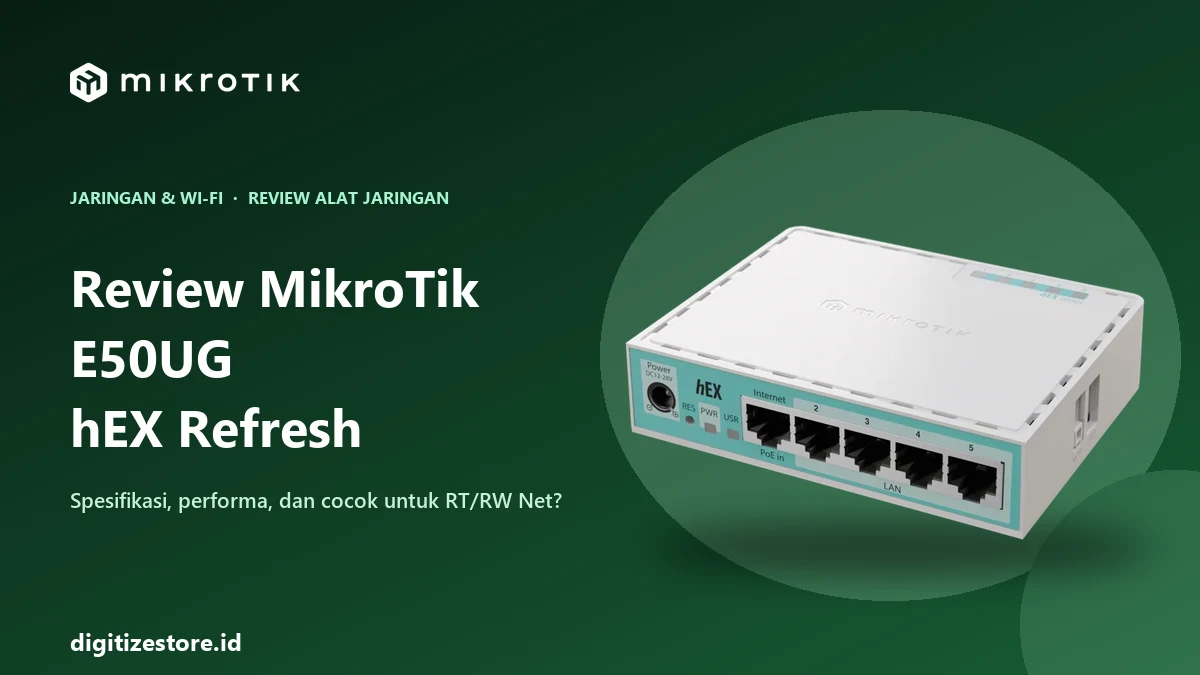
MikroTik E50UG is the model code for the hEX Refresh, a compact 5-port gigabit router that replaces the hEX (RB750Gr3), a router that was once popular for RT/RW Net networks and hotspots. Many online stores in Indonesia list it as the “MikroTik E50UG hEX Refresh,” so both names refer to the same device. This review summarizes the official specifications and performance figures from MikroTik, along with our team’s hands-on impressions, and assesses who this router is best suited for.
We’ve used this router ourselves and also sell it at Digitize Store, so it’s important to mention that upfront. The specifications and figures below are sourced from MikroTik’s official product page and manual so you can verify them yourself. Our impression after using it: it’s great.
Quick Summary
- Type: Wired router with 5 Gigabit Ethernet ports and 1 USB port.
- Processor: 950 MHz dual-core ARM with 512 MB of RAM.
- System: RouterOS v7, Level 4 license.
- Official suggested price: US$59.95.
- Suitable for: homes and small offices, small-scale hotspots, and RT/RW networks with a limited number of subscribers.
- Less suitable for: networks with very high bandwidth and many firewall rules or simultaneous queues.
Key Specifications
| Component | Description (according to MikroTik) |
|---|---|
| Model | hEX refresh, code E50UG |
| CPU | EN7562CT, 32-bit ARM, 2 cores, 950 MHz |
| RAM | 512 MB DDR3L |
| Storage | 128 MB NAND |
| Ethernet Ports | 5 x 10/100/1000 (gigabit) |
| USB | 1 x USB Type-A (2.0), maximum current 1 A |
| PoE-in | On ether1, passive PoE, 12–28 V DC |
| Power Input | 12–28 V DC jack or PoE-in on ether1 |
| Adapter included | 24 V, 0.38 A, 9 W |
| Maximum power consumption | 10 W with accessories, 4 W without |
| Dimensions | 113 x 89 x 28 mm |
| Operating temperature | -40 to +70 °C (tested at ambient temperature) |
| Cooling | Passive (fanless), IP20 |
| Operating system | RouterOS v7, Level 4 license |
Items not mentioned on the product page or in the official manual—so you should check them yourself before purchasing: hardware offload support, microSD slot, and PoE-out.
Physical Features
It’s small and lightweight, with a white, ventilated, fanless case, making it quiet and easy to place on a small shelf or mount on a wall.
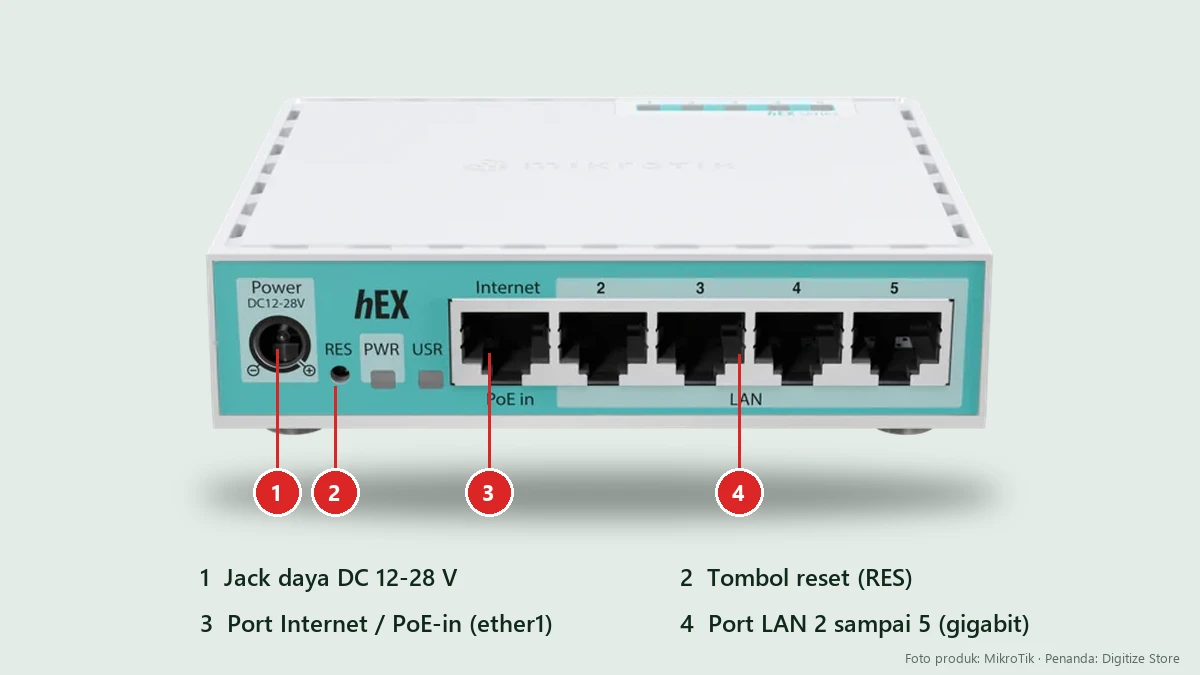
Some key components to note:
- Internet / PoE-in port (ether1): typically connected to a modem or ISP line. This port can also receive power via passive PoE at 12–28 V.
- LAN ports 2 through 5: for laptops, access points, or switches.
- Reset button (RES): used to reset the configuration or enter Netinstall mode. Instructions for use can be found in the MikroTik reset guide.
- DC power jack: accepts 12–28 V.
Performance: Manufacturer’s specifications
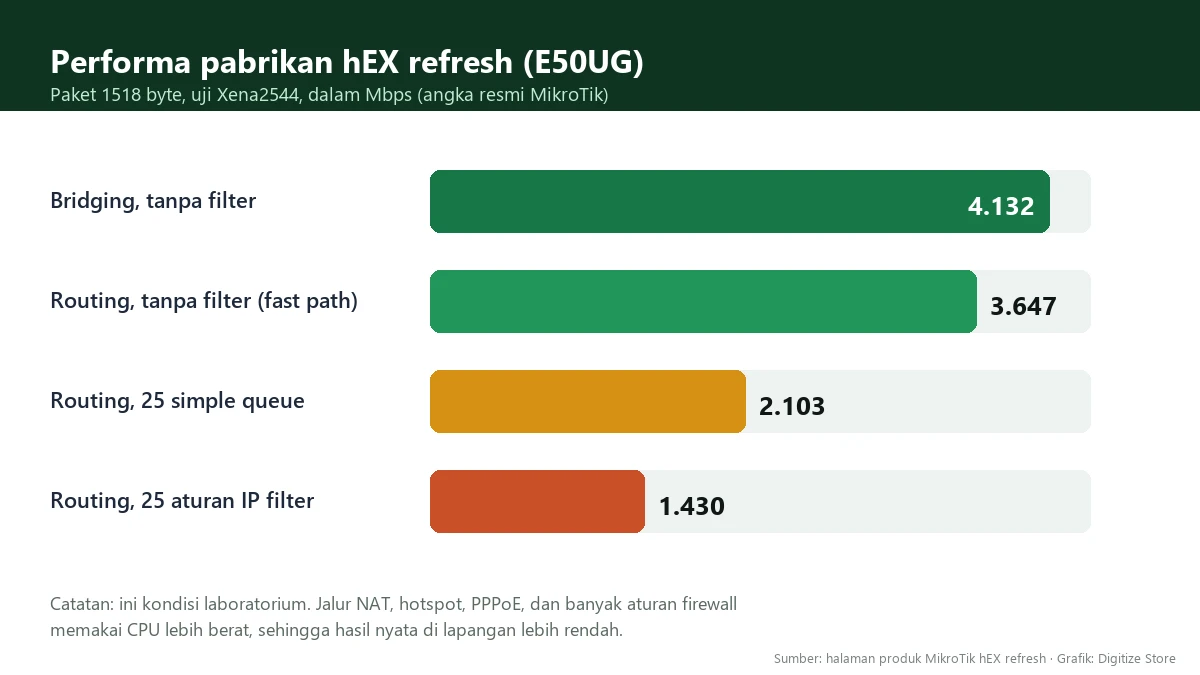
MikroTik publishes test results on the product page (Xena2544 method, 1518-byte packets). Some key figures:
| Scenario | Results (Mbps) |
|---|---|
| Bridging, no filtering | 4.132 |
| Routing, no filtering (fast path) | 3.647 |
| Routing with 25 simple queues | 2,103 |
| Routing with 25 IP filter rules | 1,430 |
These figures reveal an important pattern: the more features used, the lower the performance. This is to be expected for a CPU-based router. These figures were also measured under laboratory conditions. On a real-world network with NAT, hotspots, PPPoE, and multiple queues running simultaneously, the results are lower, so consider the figures above as an upper limit, not a guarantee.
MikroTik also mentions IPsec testing, for example, approximately 352 Mbps for a single AES-128-CBC tunnel with SHA-1 and approximately 189 Mbps for 256 AES-256-CBC tunnels with SHA-256. If you plan to use a site-to-site VPN with multiple tunnels, take these figures into account.
E50UG vs. the old hEX (RB750Gr3)
According to MikroTik, the refreshed hEX is sold at the same price as its predecessor, with performance improvements of about 100 to 134 percent depending on the configuration. A brief comparison:
| Aspect | hEX (RB750Gr3) | hEX refresh (E50UG) |
|---|---|---|
| CPU | MIPS MT7621A 880 MHz | ARM dual-core 950 MHz |
| RAM | 256 MB | 512 MB |
| Storage | 16 MB flash plus microSD | 128 MB NAND |
| Ports | 5 gigabit, USB | 5 Gigabit, USB |
| PoE-in | Available | Available (ether1, 12–28 V) |
The CPU and storage data for older hEX versions were taken from comparisons on retailer websites, while the performance improvements are claims made by MikroTik. For new purchases, the E50UG is the more sensible choice. For users of older hEX versions that are already running smoothly, an upgrade is recommended if the CPU or memory frequently reaches capacity.
Suitable for neighborhood networks and hotspots?
MikroTik does not specify a maximum number of users for the E50UG, so there are no official figures we can cite. As a general guideline:
- It’s suitable for RT/RW networks or small-scale hotspots with relatively low total bandwidth and limited speed per customer. In our testing, the results were good.
- Exercise caution if you’re using many simple queues, numerous firewall rules, or PPPoE for hundreds of users on a single router. As shown in the table above, these workloads are the biggest performance bottlenecks.
- Monitor CPU usage during peak hours. If the CPU frequently spikes, distribute the load across multiple routers or upgrade to a more powerful model.
If you’re using a hotspot with vouchers, combine them with per-user speed limits to prevent a single customer from using up all the bandwidth, and use a hotspot login template to make the login page look professional.
Pros and Cons
Pros
- Competitive pricing for a 5-port gigabit router with full RouterOS.
- Larger CPU and RAM than the older hEX model.
- Energy-efficient and silent since it’s fanless.
- Can be powered via PoE-in, allowing for flexible installation.
- Runs RouterOS v7 with a Level 4 license.
Drawbacks or things to note
- Performance drops significantly when there are many queues and active firewall rules.
- No built-in Wi-Fi, so a separate access point is required.
- Hardware offload, the microSD slot, and PoE-out are not mentioned in the official specifications.
- Only 5 ports, so a large network requires an additional switch.
Tips After Purchase
- Update RouterOS to the latest stable version, then double-check the configuration.
- Create a strong admin password and write it down in a safe place. Follow the 7 basic steps to secure your MikroTik router.
- Back up the configuration right from the start. See how to back up a MikroTik configuration.
- Limit the speed per user if used for a hotspot or neighborhood network.
Where to buy?
Digitize Store sells new MikroTik hEX Refresh (E50UG) units with a 1-year warranty and the complete original box set. At the time of writing, the price is Rp1,350,000, but prices may vary depending on exchange rates and stock levels, so check the product page for the latest price. If purchasing elsewhere, make sure the product code is E50UG and that it comes with an official warranty.
Conclusion
The MikroTik E50UG hEX Refresh is a 5-port gigabit router that we recommend for homes, small offices, hotspots, and small-scale neighborhood networks (RT/RW Net): It has a more powerful CPU and more RAM than the older hEX models in the same price range, and it has performed well in our testing. Its limitations lie in heavy workloads, as performance drops when there are many queues and firewall rules are applied. Assess your needs first, then choose a higher-end model if you require high bandwidth and support a large number of users. Complete details are available on the MikroTik hEX refresh product page and in the official manual.
Frequently Asked Questions
What’s the difference between the MikroTik E50UG and the hEX refresh?
There’s no difference. The E50UG is the model code for the hEX refresh.
Does the E50UG have Wi-Fi?
No. The E50UG is a wired router without built-in Wi-Fi. For Wi-Fi, connect an access point to one of the LAN ports.
Is the E50UG better than the hEX RB750Gr3?
According to MikroTik, it offers about twice the performance at the same price, with a dual-core ARM CPU and 512 MB of RAM. For new purchases, the E50UG is more highly recommended.
How many users can the E50UG support?
MikroTik does not provide an official figure. The result depends on total bandwidth, the number of queues, and the firewall rules in use, so monitor the CPU during peak hours.
Does the E50UG support PoE?
Yes, it supports PoE-in on the ether1 port (passive PoE 12–28 V). The documentation does not mention PoE-out.
Where can I buy the MikroTik E50UG?
You can buy it at Digitize Store via the hEX Refresh product page, with a 1-year warranty.